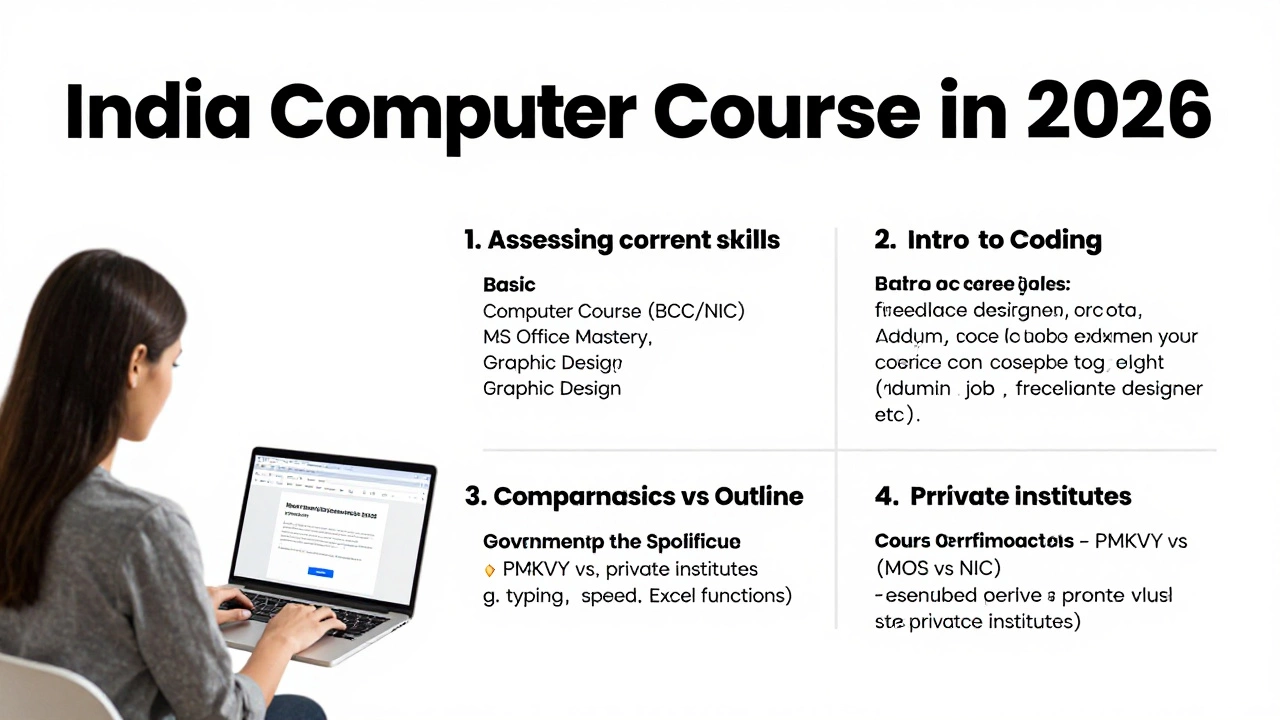
Computer Course Pathway Finder
What is your primary goal?
Select the outcome you are aiming for after completing a course.
What is your current skill level?
Be honest about what you can do right now without help.
How do you prefer to learn?
This determines the type of institute or platform recommended.
Recommended Pathway
Estimated Duration
-
Key Certification
-
You don’t need a degree to start using technology effectively. In fact, many professionals in India find that a focused, short-term computer course opens more doors than a generic IT diploma. The market is flooded with options, from government-backed digital literacy programs to private institute certifications. Picking the right one depends entirely on what you want to do next: get an office job, freelance online, or just manage your personal finances digitally.
We’ve looked at the landscape of computer training in India as of 2026. The goal here isn't to sell you a specific brand, but to help you identify which skill set matches your career goals. Whether you are a student, a homemaker returning to work, or a small business owner, there is a structured path for you.
The Foundation: Digital Literacy and Basic Operations
Before jumping into coding or advanced design, you must master the interface. This sounds obvious, but many beginners skip this step and struggle later. The most accessible entry point in India remains the Basic Computer Course (BCC), often aligned with standards like NIC BCC. These courses focus on the fundamentals: how to navigate Windows or macOS, file management, typing speed, and internet browsing.
Why does this matter? Because fluency in the operating system reduces friction in every other task. If you spend ten minutes looking for a saved file, you lose productivity. These courses also cover hardware basics-understanding what RAM, SSD, and CPU mean so you aren't ripped off when buying a laptop.
- Typing Skills: Most BCCs include touch-typing modules. Aim for 35-40 words per minute with high accuracy. This is a non-negotiable skill for any desk job.
- Internet Safety: Learning how to spot phishing emails and secure passwords is critical in today's digital ecosystem.
- Hardware Maintenance: Basic troubleshooting, like restarting services or clearing cache, saves you from unnecessary repair shop visits.
If your goal is simply to feel comfortable using a computer for daily tasks, a three-month BCC is sufficient. Look for institutes affiliated with the National Informatics Centre (NIC) or reputable private chains that offer hands-on practice rather than just theory.
The Office Standard: Microsoft Office Suite Mastery
Once you know how to turn the computer on, you need to know how to produce work. For 90% of entry-level jobs in India-from data entry to administrative roles-proficiency in the Microsoft Office Suite is the gold standard. This includes Word, Excel, and PowerPoint.
Don't settle for a "basics" class. You need deep functional knowledge. For example, knowing how to type in Word is easy; knowing how to use Mail Merge to send 100 personalized letters at once is valuable. In Excel, moving beyond simple addition to using VLOOKUP, Pivot Tables, and conditional formatting transforms you from a data typist to a data analyst.
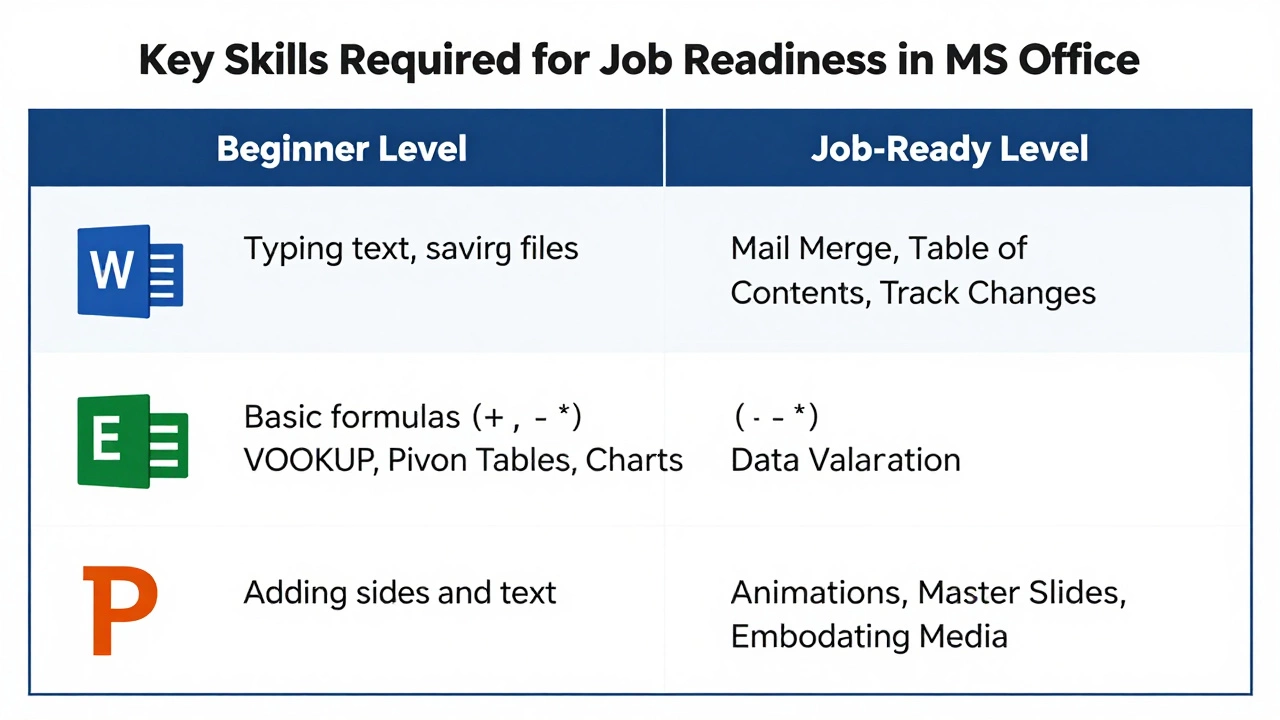
| Application | Beginner Level | Job-Ready Level |
|---|---|---|
| Word | Typing text, saving files | Mail Merge, Table of Contents, Track Changes |
| Excel | Basic formulas (+, -, *) | VLOOKUP, Pivot Tables, Charts, Data Validation |
| PowerPoint | Adding slides and text | Animations, Master Slides, Embedding Media |
Certifications like MOS (Microsoft Office Specialist) carry weight globally. If an institute offers exam preparation for MOS, it’s usually a sign of quality. The investment here pays off quickly because these skills are transferable across industries-banking, healthcare, education, and retail all rely on them.
The Creative Path: Graphic Design and Multimedia
If spreadsheets bore you and you have an eye for visuals, look toward creative software. The demand for content creators in India has skyrocketed with the rise of social media marketing. Small businesses need logos, flyers, and social media posts daily.
The core tools here are Adobe Photoshop for photo editing and Adobe Illustrator for vector graphics. Alternatively, Canva has become a powerful tool for beginners who need quick results without a steep learning curve.
A good graphic design course for beginners should not just teach you where the buttons are. It must teach design principles: color theory, typography, and layout composition. Without these, you’ll create cluttered images that don’t communicate effectively.
Consider the hardware requirements. Graphic design requires a decent processor and at least 8GB of RAM. If you’re starting out, ensure your course includes portfolio building. Employers care less about certificates and more about seeing what you can actually make.
The Technical Edge: Introduction to Coding
There is a misconception that coding is only for engineers. While becoming a software developer takes years, understanding the logic of programming helps in automation and problem-solving. For absolute beginners, Python is widely regarded as the most beginner-friendly language due to its readable syntax.
However, before Python, consider HTML and CSS. These are not programming languages in the traditional sense, but markup and style sheets that build websites. They provide immediate visual feedback, which is motivating for learners. You can create a basic webpage in a single afternoon.
For those interested in web development, platforms like Coursera, Udemy, and local Indian institutes offer bootcamps. Look for courses that emphasize "project-based learning." Watching videos isn't enough; you must code along. If a course doesn't give you homework projects, avoid it.
Choosing Between Online and Offline Classes
In 2026, the debate between online and offline learning has settled into a pragmatic choice based on learning style.
Offline Institutes: Best for those who lack discipline or need peer interaction. Walking into a classroom creates accountability. In cities like Delhi, Mumbai, and Bangalore, there are numerous physical centers offering hands-on guidance. The instructor can see your screen and correct mistakes instantly. This is crucial for typing posture and initial software navigation.
Online Platforms: Ideal for self-starters and those in tier-2 or tier-3 cities with limited access to quality trainers. Platforms like NPTEL (for academic rigor) or specialized sites like Scrimba (for coding) offer interactive environments. The key advantage is pace control-you can pause, rewind, and repeat.
Hybrid models are emerging, where theory is online and practical sessions are offline. This often provides the best balance of cost and support.
Budgeting and Certification Value
Cost varies wildly. Government-sponsored schemes like PMKVY (Pradhan Mantri Kaushal Vikas Yojana) often provide free or heavily subsidized computer courses. These are excellent for basic literacy and employability skills. However, the infrastructure can sometimes be outdated.
Private institutes charge anywhere from ₹2,000 to ₹15,000 depending on the duration and depth. Ask yourself: Does the certificate add value? For MS Office, yes (MOS). For basic computer usage, no-your ability to perform the task matters more. For coding, GitHub repositories and live projects matter more than a piece of paper.
Avoid courses that promise "guaranteed jobs." No legitimate course can guarantee employment. They can only guarantee skill acquisition. Your job search effort will determine your outcome.
Next Steps for Your Learning Journey
Start by auditing your current skills. Can you send an email with an attachment? Can you format a document professionally? If not, begin with a Basic Computer Course. If yes, move to MS Office Advanced or a creative tool. Define a clear end-goal: "I want to apply for admin roles" or "I want to freelance as a designer." Let that goal dictate your curriculum.
Remember, consistency beats intensity. Thirty minutes of daily practice is better than a five-hour cram session once a week. Technology evolves fast, but the fundamental logic of computing remains stable. Build a strong base, and you’ll be able to adapt to new tools as they emerge.
Is a computer course necessary if I am already good with my smartphone?
Smartphone proficiency does not translate directly to desktop computer skills. Keyboards, mouse navigation, file systems, and multitasking windows operate differently on PCs. A computer course teaches you how to handle larger datasets and professional software that mobile apps cannot replicate efficiently.
How long does it take to complete a basic computer course?
Most basic computer courses range from 4 to 8 weeks if attended full-time, or 2 to 3 months for part-time evening classes. The duration depends on whether you are learning from scratch or have some prior exposure. Typing speed improvement alone can take several weeks of consistent practice.
Which is better: NIC BCC or private institute certification?
NIC BCC is recognized by government bodies and is ideal for public sector jobs or basic literacy validation. Private certifications like MOS (Microsoft Office Specialist) are preferred by corporate sectors and multinational companies. Choose based on your target industry.
Can I learn computer skills completely online for free?
Yes, platforms like Khan Academy, YouTube tutorials, and Microsoft Learn offer free resources. However, free courses lack structured feedback. You might miss bad habits in typing or logical errors in coding. Consider paying for a mentor or a structured course if you need accountability and correction.
Do I need a powerful computer to start learning?
No. For basic courses, MS Office, and even introductory coding, a mid-range laptop with 8GB RAM and an SSD is sufficient. High-end gaming specs are only needed for video editing or heavy 3D modeling. Start with what you have; upgrade only when your specific project demands it.